Localizzatore base2G
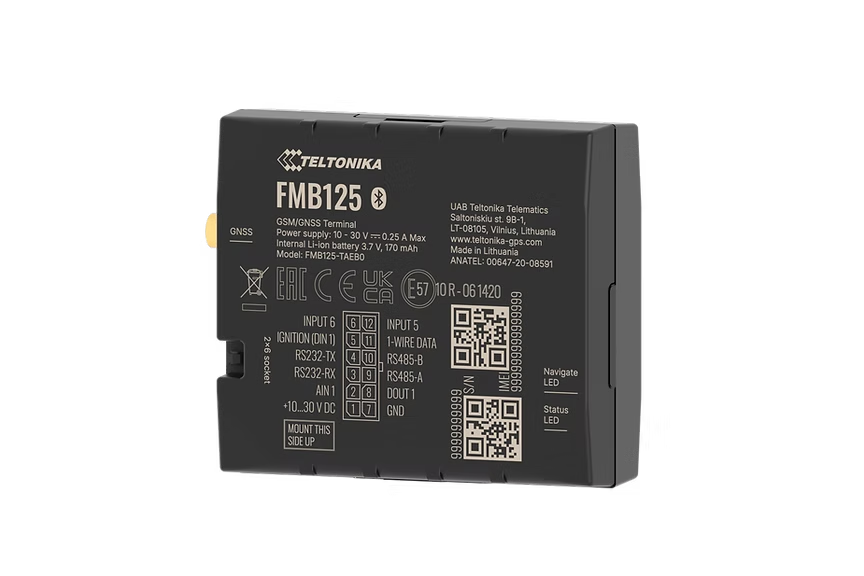
FMB125
2G Tracker With RS-232/RS-485 Interface
Professional 2G tracker with RS-232 and RS-485 serial interfaces for connecting external peripherals like fuel sensors, temperature probes, and dispatch displays. Ideal for commercial vehicles needing data from auxiliary equipment.
From ~EUR55Search on Amazon
Non vendiamo hardware - questo è solo un suggerimento su dove acquistare. Ordina da Amazon o da qualsiasi venditore di fiducia.
Punti salienti
- RS-232 and RS-485 serial interfaces
- Bluetooth 4.0 LE connectivity
- 1-Wire interface for iButton
- Compact professional design
Specifiche
| Cellular | GSM 2G Quad-band |
| GNSS | GPS, GLONASS, GALILEO, BeiDou |
| Bluetooth | BLE 4.0 |
| Interfaces | RS-232, RS-485, 1-Wire |
| Input Voltage | 10-30V DC |
| Backup Battery | 170 mAh Li-Po |
| Dimensions | 79 x 43 x 12 mm |
| Operating Temp | -40 to +85 C |
Configurazione
Impostazioni di connessione.
Server
app.erebos.gr
Porta
5027
Protocollo
TCP
Password BT
5555
APN operatori greci
Cosmote (Greece)
internet
Vodafone (Greece)
internet.vodafone.gr
Wind/NOVA (Greece)
gint.b-online.gr
Bluetooth App (Recommended)
The easiest way. Works from any smartphone.
- 1. Download "Teltonika FMBT" from App Store or Google Play (free).
- 2. Power on the tracker: connect via Micro-USB cable or wire to a 12V power source.
- 3. Open the FMBT app on your phone and tap Connect.
- 4. Select the device named "FMB125_XXXXXXX" (last 7 digits of your IMEI).
- 5. Enter Bluetooth password: 5555
- 6. Go to the GPRS tab.
- 7. Set APN to your carrier (e.g. "internet" for Cosmote).
- 8. Set Domain to: app.erebos.gr
- 9. Set Port to: 5027
- 10. Set Protocol to: TCP
- 11. Tap Save to device.
USB Configurator (Windows only)
Advanced method using Teltonika Configurator on Windows.
- 1. Download Teltonika Configurator and USB driver from wiki.teltonika-gps.com.
- 2. Connect the tracker via Micro-USB. The Configurator detects it automatically.
- 3. Open GPRS settings.
- 4. Set APN, Domain (app.erebos.gr], Port (5027], Protocol (TCP).
- 5. Click Save to device.
Ideale per
Casi d'uso.
Commercial vehicles
Fuel monitoring
Temperature-controlled transport
Driver identification