Podstawowy lokalizator2G
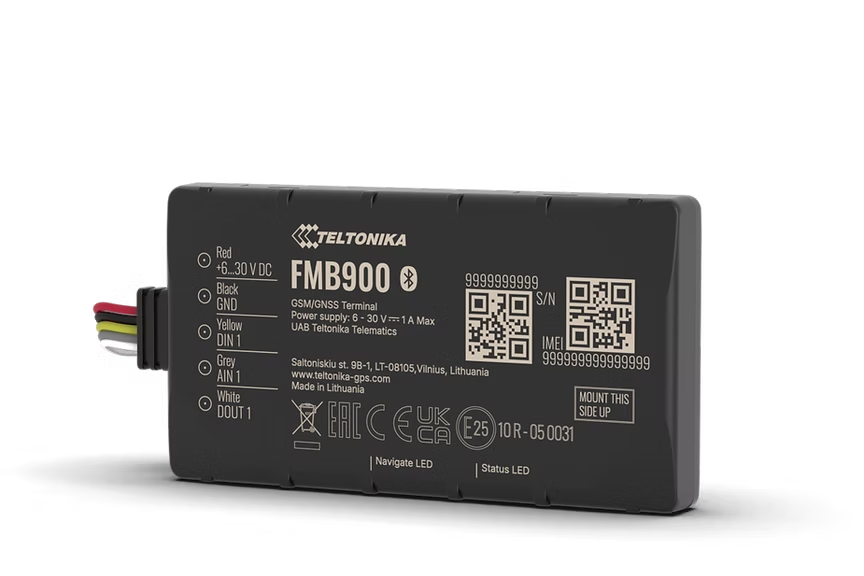
FMB900
Low-cost 2G Tracker For Vehicle Tracking Security
Low-cost compact 2G model for basic tracking. Same slim 12mm form factor as the FMB920 but without a backup battery, making it the most affordable option for fleets that always have wired power. Perfect for permanent vehicle installations where cost matters.
From ~EUR30Search on Amazon
Nie sprzedajemy sprzętu - to tylko sugerowane miejsce zakupu. Zamów na Amazon lub u dowolnego zaufanego sprzedawcy.
Najważniejsze cechy
- Extended product usage scenarios
- Extensive remote monitoring possibilities
- Eco driving scenario for all-round better driving
- Slim design to fit the tightest spaces
Specyfikacja
| Module | Teltonika TMS900 |
| Technology | GSM / GPRS / GNSS / Bluetooth LE |
| GNSS | GPS, GLONASS, GALILEO, BEIDOU, SBAS, QZSS, DGPS, AGPS |
| Receiver | 14 tracking channels |
| Tracking Sensitivity | -161 dBm |
| Position Accuracy | < 2.5 m CEP |
| Cellular | GSM 2G |
| 2G Bands | Quad-band 850 / 900 / 1800 / 1900 MHz |
| Data Transfer | GPRS Multi-Slot Class 12, SMS |
| Input Voltage | 6-30 V DC (overvoltage protection) |
| Backup Battery | None |
| Power Consumption | < 1.1 W idle, < 1.5 W GNSS+GSM on (at 12 V) |
| Bluetooth | BLE 4.0 |
| Dimensions | 79 x 43 x 12 mm |
| Weight | 46 g |
| Operating Temp | -40 to +85 C |
| IP Rating | IP54 |
| Digital Inputs | 1 |
| Digital Outputs | 1 (open drain) |
| Analog Inputs | 1 |
| SIM | Nano SIM |
| Memory | 128 MB internal flash |
Konfiguracja
Ustawienia połączenia.
Serwer
app.erebos.gr
Port
5027
Protokół
TCP
Hasło BT
5555
APN greckich operatorów
Cosmote (Greece)
internet
Vodafone (Greece)
internet.vodafone.gr
Wind/NOVA (Greece)
gint.b-online.gr
Bluetooth App (Recommended)
The easiest way. Works from any smartphone.
- 1. Download "Teltonika FMBT" from App Store or Google Play (free).
- 2. Power on the tracker: connect via Micro-USB cable or wire to a 12V power source.
- 3. Open the FMBT app on your phone and tap Connect.
- 4. Select the device named "FMB900_XXXXXXX" (last 7 digits of your IMEI).
- 5. Enter Bluetooth password: 5555
- 6. Go to the GPRS tab.
- 7. Set APN to your carrier (e.g. "internet" for Cosmote).
- 8. Set Domain to: app.erebos.gr
- 9. Set Port to: 5027
- 10. Set Protocol to: TCP
- 11. Tap Save to device.
USB Configurator (Windows only)
Advanced method using Teltonika Configurator on Windows.
- 1. Download Teltonika Configurator and USB driver from wiki.teltonika-gps.com.
- 2. Connect the tracker via Micro-USB. The Configurator detects it automatically.
- 3. Open GPRS settings.
- 4. Set APN, Domain (app.erebos.gr], Port (5027], Protocol (TCP).
- 5. Click Save to device.
Najlepsze dla
Zastosowania.
Budget fleet tracking
Permanent vehicle installations
Basic Track & Trace
Green driving solution