Szybki i łatwy2G/4G
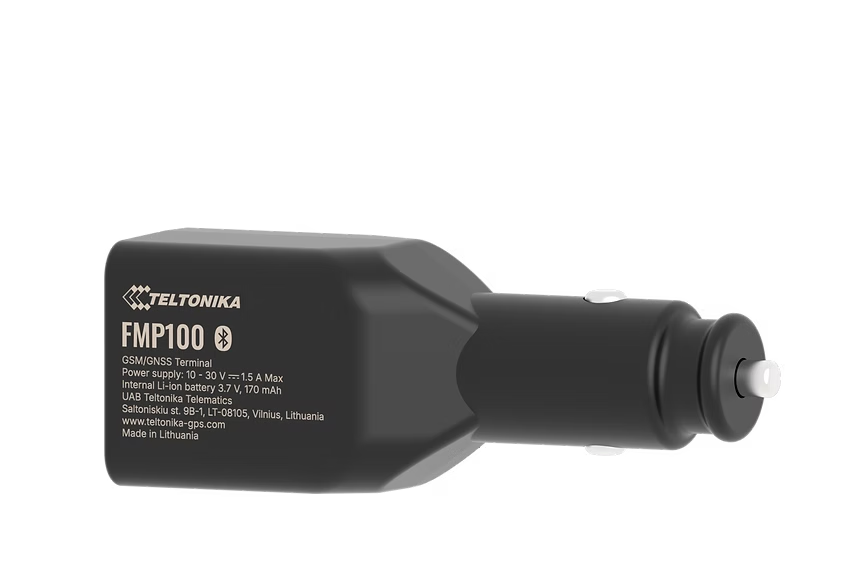
FMP100
Easy Plug & Play OBD Tracker
Plug directly into the OBD-II port - no wiring, no installation. Reads vehicle diagnostics (fuel level, mileage, engine fault codes) alongside GPS tracking. Move it between vehicles in seconds.
From ~EUR70Search on Amazon
Nie sprzedajemy sprzętu - to tylko sugerowane miejsce zakupu. Zamów na Amazon lub u dowolnego zaufanego sprzedawcy.
Najważniejsze cechy
- True Plug & Play
- OBD data reading
- Move between vehicles
- Compact design
Specyfikacja
| Cellular | GSM 2G / LTE Cat M1/NB-IoT |
| GNSS | GPS, GLONASS, GALILEO, BeiDou |
| Interface | OBD-II connector |
| Power | Powered via OBD-II port (12V) |
| Bluetooth | BLE 4.0 |
| Dimensions | 67 x 53 x 26 mm |
| Operating Temp | -20 to +55 C |
Konfiguracja
Ustawienia połączenia.
Serwer
app.erebos.gr
Port
5027
Protokół
TCP
Hasło BT
5555
APN greckich operatorów
Cosmote (Greece)
internet
Vodafone (Greece)
internet.vodafone.gr
Wind/NOVA (Greece)
gint.b-online.gr
Bluetooth App (Recommended)
The easiest way. Works from any smartphone.
- 1. Download "Teltonika FMBT" from App Store or Google Play (free).
- 2. Power on the tracker: connect via Micro-USB cable or wire to a 12V power source.
- 3. Open the FMBT app on your phone and tap Connect.
- 4. Select the device named "FMP100_XXXXXXX" (last 7 digits of your IMEI).
- 5. Enter Bluetooth password: 5555
- 6. Go to the GPRS tab.
- 7. Set APN to your carrier (e.g. "internet" for Cosmote).
- 8. Set Domain to: app.erebos.gr
- 9. Set Port to: 5027
- 10. Set Protocol to: TCP
- 11. Tap Save to device.
USB Configurator (Windows only)
Advanced method using Teltonika Configurator on Windows.
- 1. Download Teltonika Configurator and USB driver from wiki.teltonika-gps.com.
- 2. Connect the tracker via Micro-USB. The Configurator detects it automatically.
- 3. Open GPRS settings.
- 4. Set APN, Domain (app.erebos.gr], Port (5027], Protocol (TCP).
- 5. Click Save to device.
Najlepsze dla
Zastosowania.
Rental vehicles
Company car pools
Test & trial installations
Quick deployments