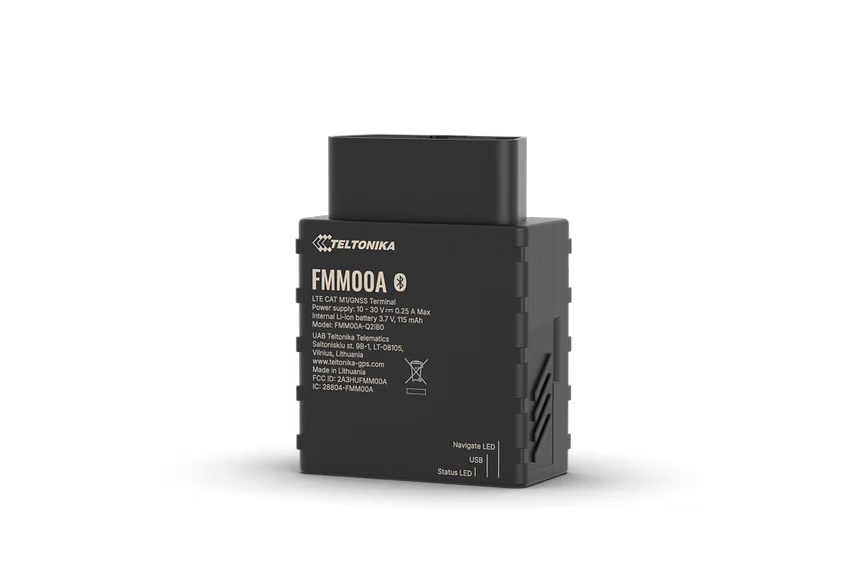
FMM00A
Advanced Plug & Play OBD-II Tracker With 4G LTE Cat M1
Advanced Plug & Play OBD-II tracker with 4G LTE Cat M1 connectivity designed for North America. Reliable coverage with LTE Cat M1 and NB-IoT. Reading OBD OEM parameters for real odometer and fuel level data. Supports over 23,527 vehicles and effortless Plug & Play installation.
Ne nuk shesim pajisje - kjo është vetëm një vend i sugjeruar blerje. Porosisni nga Amazon ose çdo shitës që besoni.
Pikat kryesore
- Reliable coverage
- Reading OBD OEM parameters
- Supported vehicle and data list
- Effortless Plug & Play installation
Specifikimet
| Module | FMM00A G-MNS variants |
| Technology | LTE Cat M1 / NB-IoT / GNSS / Bluetooth LE |
| GNSS | GPS, GLONASS, GALILEO, BEIDOU, SBAS, QZSS, DGPS, AGPS |
| Receiver | 14 tracking channels |
| Tracking Sensitivity | -161 dBm |
| Position Accuracy | < 2.5 m CEP |
| Velocity Accuracy | < 0.1 m/s |
| Hot Start | < 1 s |
| Warm Start | < 25 s |
| Cold Start | < 35 s |
| Cellular | LTE Cat M1 / NB-IoT |
| LTE Bands | Cat M1 and NB-IoT bands optimized for North America |
| Data Support | SMS, TCP, UDP, MQTT, TLS, DTLS |
| Data Codecs | Codec 8, Codec 8 Extended |
| Input Voltage | 10-30 V DC (OBD-II powered) |
| Backup Battery | 170 mAh Li-Ion, 3.7 V (0.63 Wh) |
| Power Consumption | Ultra-low power LTE Cat M1 optimized |
| Bluetooth | BLE 4.0 |
| Supported Peripherals | Bluetooth 4.0 and 5 devices, iBeacon, Bluetooth LE sensors |
| Dimensions | 51.7 x 48.1 x 25.6 mm |
| Weight | 55 g |
| Operating Temp | -40 to +85 C |
| IP Rating | IP41 |
| OBD Pins | 6, 14 (CAN], 7, 15 (K-line], 2, 10 (SAE J1850], 16 (battery positive) |
| OBD Data Reading | OBD-II standard + OEM-specific parameters, supported OBD protocols |
| SIM | Nano SIM |
| USB | Micro USB (configuration) |
| LED Indicators | 2 (status LEDs) |
| Memory | 128 MB internal flash |
Konfigurimi
Cilësimet e lidhjes.
Serveri
app.erebos.gr
Port
5027
Protokoll
TCP
Fjalëkalimi BT
5555
APN-të e operatorëve grekë
Cosmote (Greece)
internet
Vodafone (Greece)
internet.vodafone.gr
Wind/NOVA (Greece)
gint.b-online.gr
Bluetooth App (Recommended)
The easiest way. Works from any smartphone.
- 1. Download "Teltonika FMBT" from App Store or Google Play (free).
- 2. Power on the tracker: connect via Micro-USB cable or wire to a 12V power source.
- 3. Open the FMBT app on your phone and tap Connect.
- 4. Select the device named "FMM00A_XXXXXXX" (last 7 digits of your IMEI).
- 5. Enter Bluetooth password: 5555
- 6. Go to the GPRS tab.
- 7. Set APN to your carrier (e.g. "internet" for Cosmote).
- 8. Set Domain to: app.erebos.gr
- 9. Set Port to: 5027
- 10. Set Protocol to: TCP
- 11. Tap Save to device.
USB Configurator (Windows only)
Advanced method using Teltonika Configurator on Windows.
- 1. Download Teltonika Configurator and USB driver from wiki.teltonika-gps.com.
- 2. Connect the tracker via Micro-USB. The Configurator detects it automatically.
- 3. Open GPRS settings.
- 4. Set APN, Domain (app.erebos.gr], Port (5027], Protocol (TCP).
- 5. Click Save to device.
Më e mira për