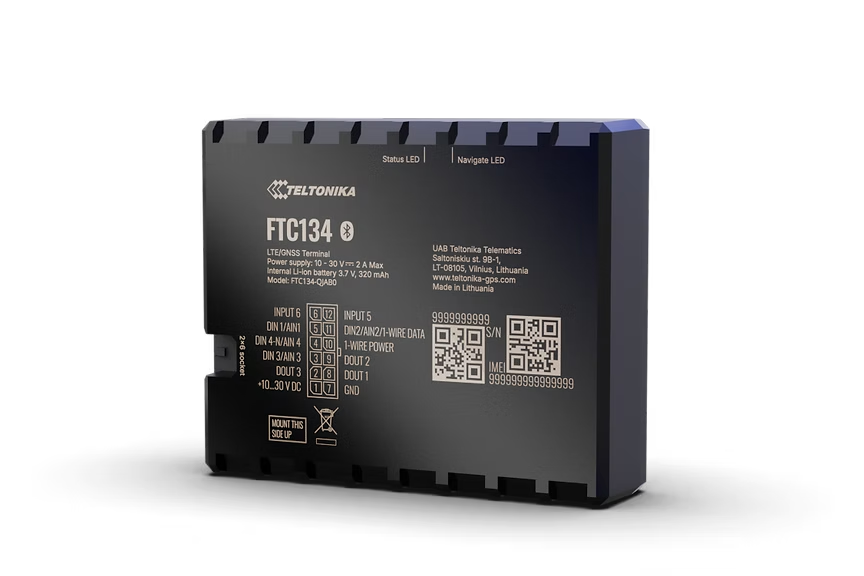
FTC134
High GNSS Precision 4G LTE Cat 1 Tracker For Anti-Theft
Next-generation 4G LTE Cat 1 GPS tracker with enhanced GNSS accuracy on the FT platform. Features up to 41 visible satellites for considerably higher tracking quality, flexible pinout usage with configurable pins, Bluetooth 5.4, and optimized sleep modes for longer performance with slower vehicle battery drainage.
Nous ne vendons pas de matériel - ceci n'est qu'un lieu d'achat suggéré. Commandez sur Amazon ou chez tout vendeur de confiance.
Points forts
- Higher GNSS accuracy
- Flexible pinout usage
- Extended product usage scenarios
- Longer performance, slower drainage
Spécifications
| Module | FTC134 GLAHS |
| Technology | LTE Cat 1 / GNSS / Bluetooth 5.4 LE |
| Platform | FT (Fleet Telematics) |
| GNSS | GPS, GLONASS, GALILEO, BEIDOU |
| Receiver | 32 tracking channels, up to 41 visible satellites |
| Tracking Sensitivity | -161 dBm |
| Position Accuracy | < 1.5 m CEP |
| Velocity Accuracy | < 0.1 m/s |
| Hot Start | < 1 s |
| Warm Start | < 23 s |
| Cold Start | < 26 s |
| Cellular | 4G LTE Cat 1 |
| LTE Bands | FDD B1/B2/B3/B5/B7/B8/B20/B25/B26 |
| Data Support | SMS, TCP, UDP, FTP, MQTT, TLS, DTLS, AMQTTS |
| Data Codecs | Codec 8, Codec 8 Extended |
| Input Voltage | 10-30 V DC |
| Backup Battery | Li-Ion, 3.7 V (0.63 Wh) |
| Power Consumption | Optimized sleep modes for minimal vehicle battery drain |
| Bluetooth | BLE 5.4 |
| Supported Peripherals | BLE sensors, beacons, EYE sensor/beacon |
| Dimensions | 65 x 56.6 x 20.6 mm |
| Weight | 72 g |
| Operating Temp | -40 to +85 C |
| IP Rating | IP54 |
| Digital Inputs | 4 (configurable) |
| Digital Outputs | 4 (configurable) |
| 1-Wire | Yes |
| SIM | Nano SIM |
| USB | USB Type-C (configuration) |
| LED Indicators | 2 (status LEDs) |
| Memory | 128 MB internal flash |
Installation
Paramètres de connexion.
Serveur
app.erebos.gr
Port
5027
Protocole
TCP
Mot de passe BT
5555
APN des opérateurs grecs
Cosmote (Greece)
internet
Vodafone (Greece)
internet.vodafone.gr
Wind/NOVA (Greece)
gint.b-online.gr
Bluetooth App (Recommended)
The easiest way. Works from any smartphone.
- 1. Download "Teltonika FMBT" from App Store or Google Play (free).
- 2. Power on the tracker: connect via Micro-USB cable or wire to a 12V power source.
- 3. Open the FMBT app on your phone and tap Connect.
- 4. Select the device named "FTC134_XXXXXXX" (last 7 digits of your IMEI).
- 5. Enter Bluetooth password: 5555
- 6. Go to the GPRS tab.
- 7. Set APN to your carrier (e.g. "internet" for Cosmote).
- 8. Set Domain to: app.erebos.gr
- 9. Set Port to: 5027
- 10. Set Protocol to: TCP
- 11. Tap Save to device.
USB Configurator (Windows only)
Advanced method using Teltonika Configurator on Windows.
- 1. Download Teltonika Configurator and USB driver from wiki.teltonika-gps.com.
- 2. Connect the tracker via Micro-USB. The Configurator detects it automatically.
- 3. Open GPRS settings.
- 4. Set APN, Domain (app.erebos.gr], Port (5027], Protocol (TCP).
- 5. Click Save to device.
Idéal pour